HostBar
What /etc/resolver is on macOS and who put files there
What it is
/etc/resolver is a directory macOS reads on every lookup. Each file inside it is named after a domain and holds resolv.conf-style lines: nameserver, port, search, and search_order. A file named /etc/resolver/test containing this sends every lookup for a name ending in .test to port 5353 on localhost instead of your normal DNS server:
nameserver 127.0.0.1
port 5353
Who creates them
Several common tools leave files here on their own:
- dnsmasq setups, commonly for a local *.test domain used in development
- some Docker tooling, for a name like docker.internal
- corporate VPN clients and configuration profiles
- Tailscale, via MagicDNS, on some setups
See what is active
ls -la /etc/resolvercat /etc/resolver/*Or check scutil --dns, which shows each resolver file as its own resolver block with a domain line naming which lookups it handles.
scutil --dnsTest one
dig +short foo.test @127.0.0.1 -p 5353dig ignores resolver files entirely, since it talks to the server you give it directly, so that command tests the server itself, not whether macOS is actually routing foo.test there. For the system's own view of the name, use:
dscacheutil -q host -a name foo.testRemove one
sudo rm /etc/resolver/testsudo dscacheutil -flushcache; sudo killall -HUP mDNSResponderDeleting the file and flushing is enough to stop macOS from using it. But whatever tool created it in the first place may simply write it again the next time that tool launches.
See resolver files in the chain
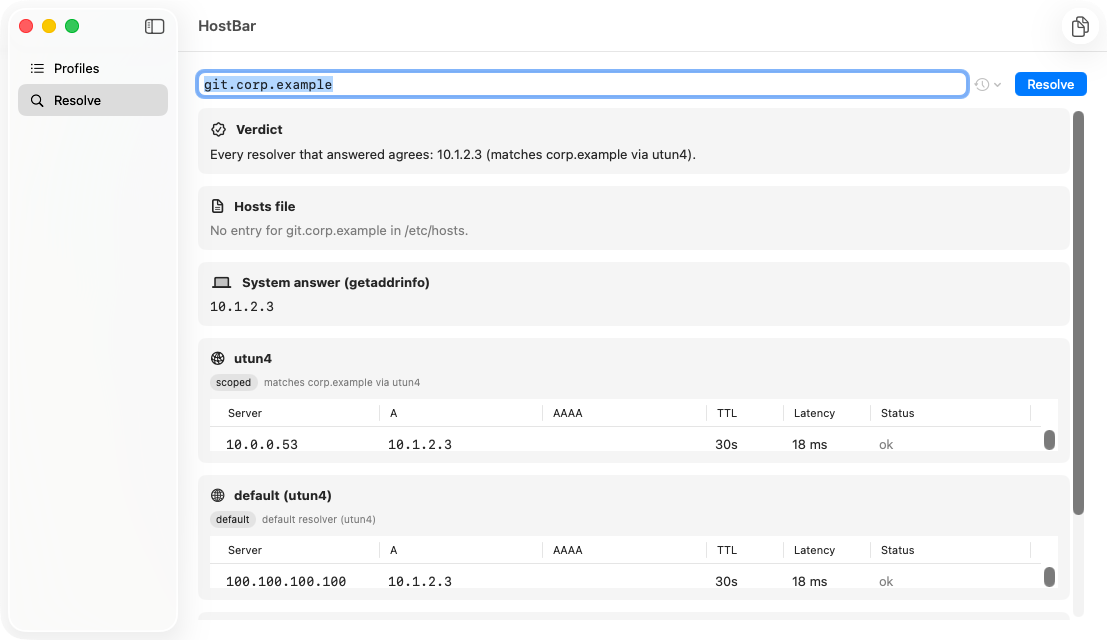
HostBar's resolve panel turns each resolver file into its own card, with the server it points at, so a stale one is obvious instead of hidden in a directory listing.